Once our team has received your content and reviewed it, you will receive a link back to the app with instructions on how to view your proofs and communicate changes.
Proofing Steps:
-
Click the link in your proofing email, you will be directed to the app.
-
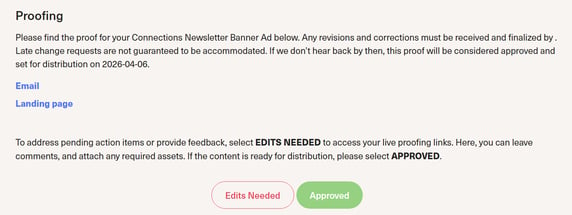
Review both proofing links in blue (Ad/Email proof AND Landing Page proof).
-
If the proofs do not need edits, click the green Approved button.
- If the proofs need edits or to action pending action items, click the red Edits Needed button.
-
To communicate your edits, you must review BOTH MarkUp links, and leave your edits as comments on MarkUp. To get a more in-depth tutorial on how to leave comments in MarkUp, please review the article here.
-
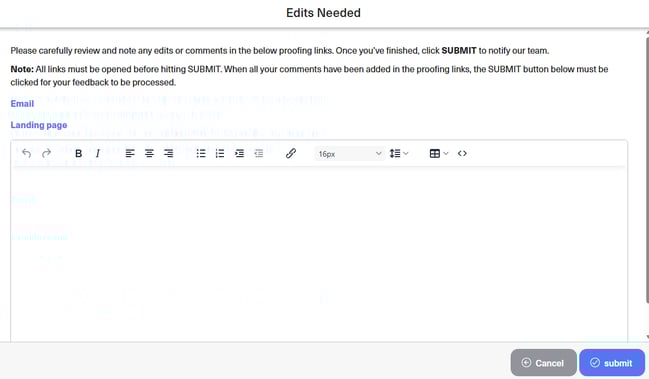
Once you have left your edits on MarkUp, you must return to the app and click the blue "Submit" button on the bottom right corner to let our team know edits need to be made.
* If you do not return to the app to click submit, our team will not be notified and your edits may be missed.