.png?width=350&height=83&name=EN_MemberMarketing%20(3).png)
1. Navigate to Contacts and click edit columns.
2. Choose "Preferred language" on the left hand side and then move to top on the right hand side. Once you have done that, click apply.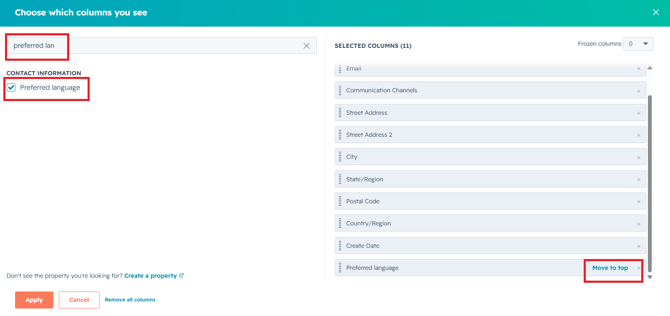
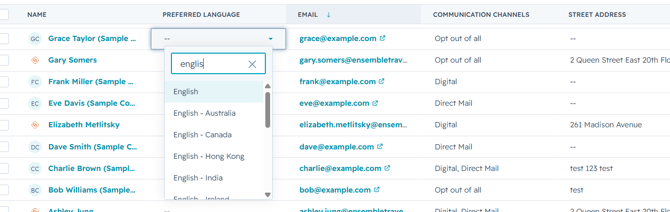
3. Update the Preferred Language for individual contacts to either English or French- Canada.